Skip to content

Changelog

New features, improvements, fixes, and closer looks at Tusella.

Improved

More room to work in the photo editor

The updated photo editor gives the image more room while keeping the rest of the listing close. Move between listing photos from the compact strip below the stage without leaving the editor.
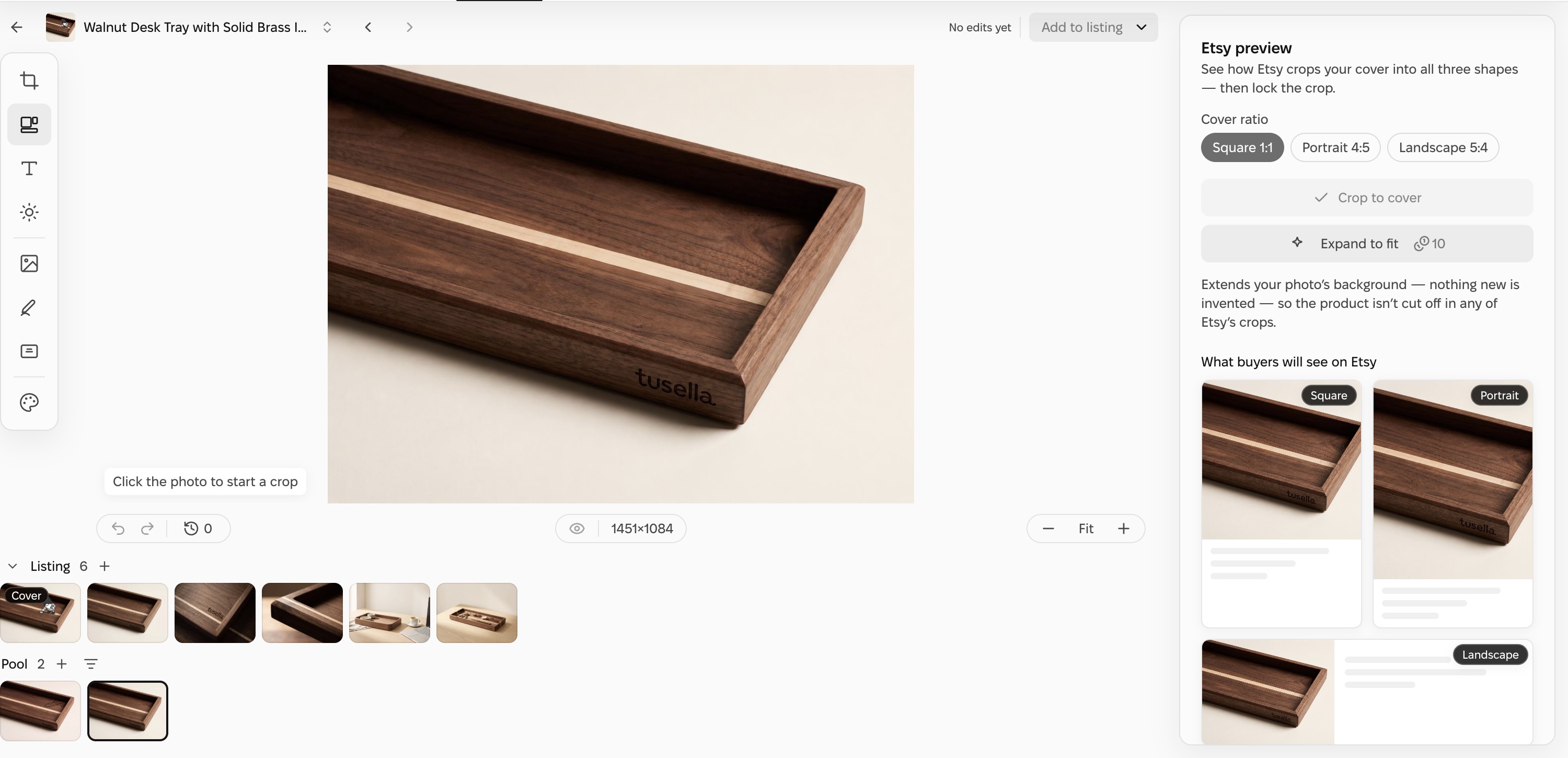
Tusella’s photo editor shows a walnut desk tray on the main stage, listing and pool photo strips below it, editing tools on the left, and Etsy crop previews on the right.
Open full-size screenshot ↗

Editing controls now sit around the photo you are working on. Preview how Etsy may crop the cover into square, portrait and landscape placements, compare your result with the original, and step back through your edit history before using the result.
New

Tusella is now available in ChatGPT

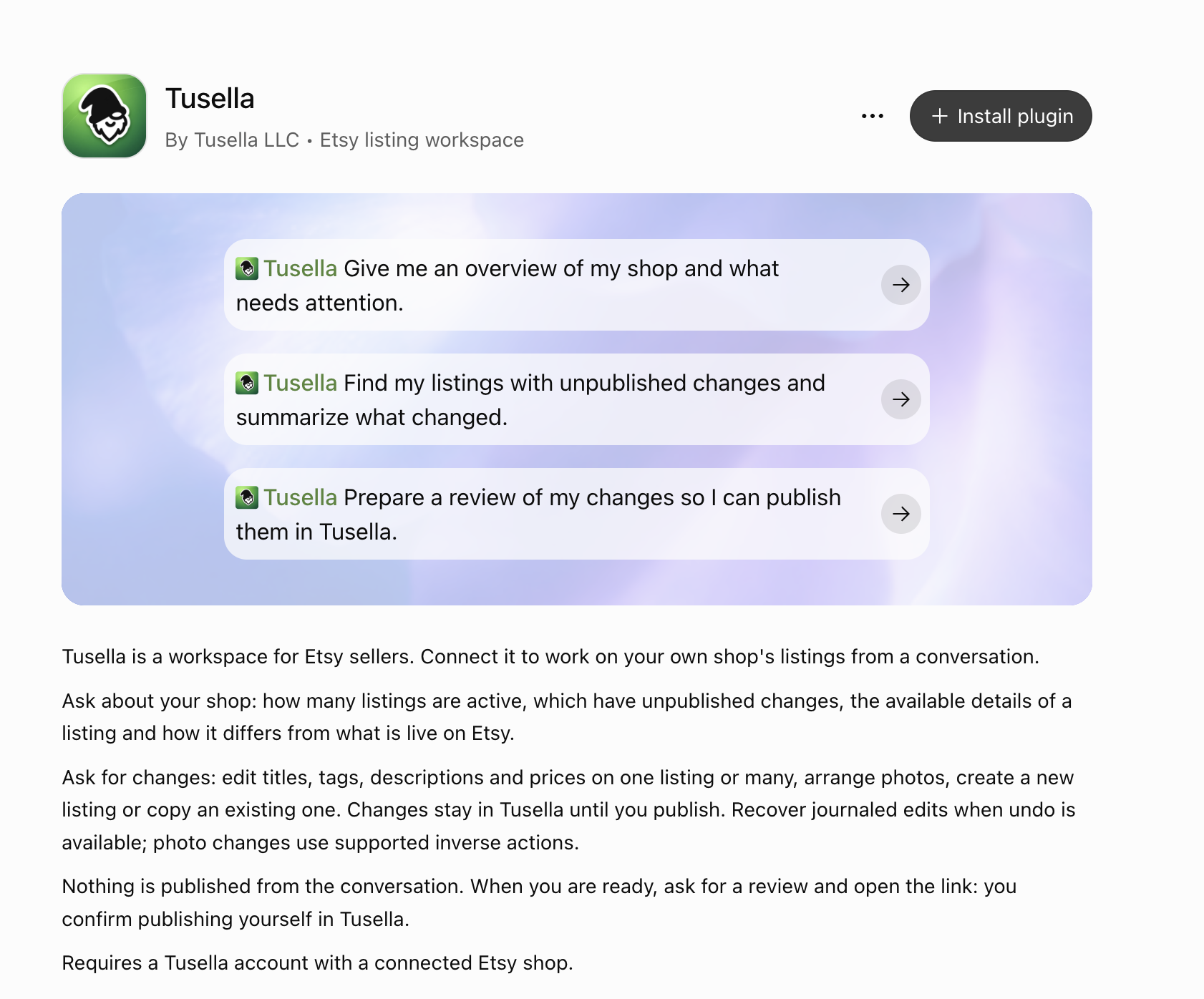
Tusella has been approved by OpenAI and is now available in ChatGPT’s official plugin directory. Install it to ask about your Etsy shop, find listings that need attention, and prepare listing edits from a conversation.

Tusella’s official ChatGPT plugin listing with an Install plugin button and example prompts for an Etsy shop.
Open full-size screenshot ↗

Tusella can read your shop context and save draft changes to your workspace. Nothing is published from the conversation: you review the changes and confirm publication in Tusella.

Install Tusella in ChatGPT →

New

Copy listings to another shop

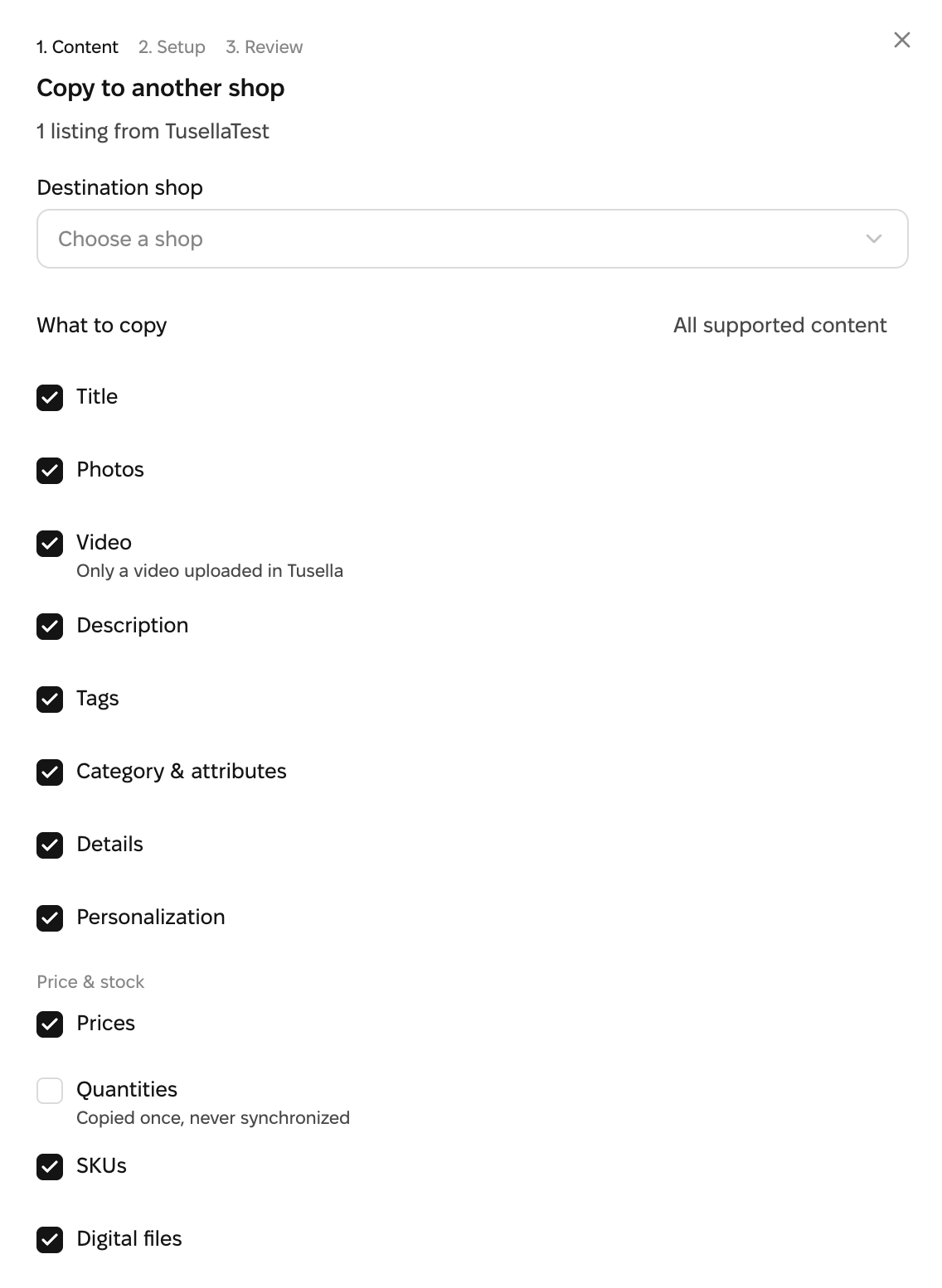
Reuse existing listings when preparing products for another Etsy shop. On desktop, select listings in Catalog, choose Copy to another shop, and pick the content to bring across — including titles, descriptions, tags and photos.

Copy to another shop: one listing from TusellaTest, destination not yet selected, and content groups available to choose. Stock quantities are unchecked.
Open full-size screenshot ↗

Review the destination setup, then create independent Sketches in the other shop. Your original listings stay unchanged. Edit the copies and review them before publishing to Etsy.

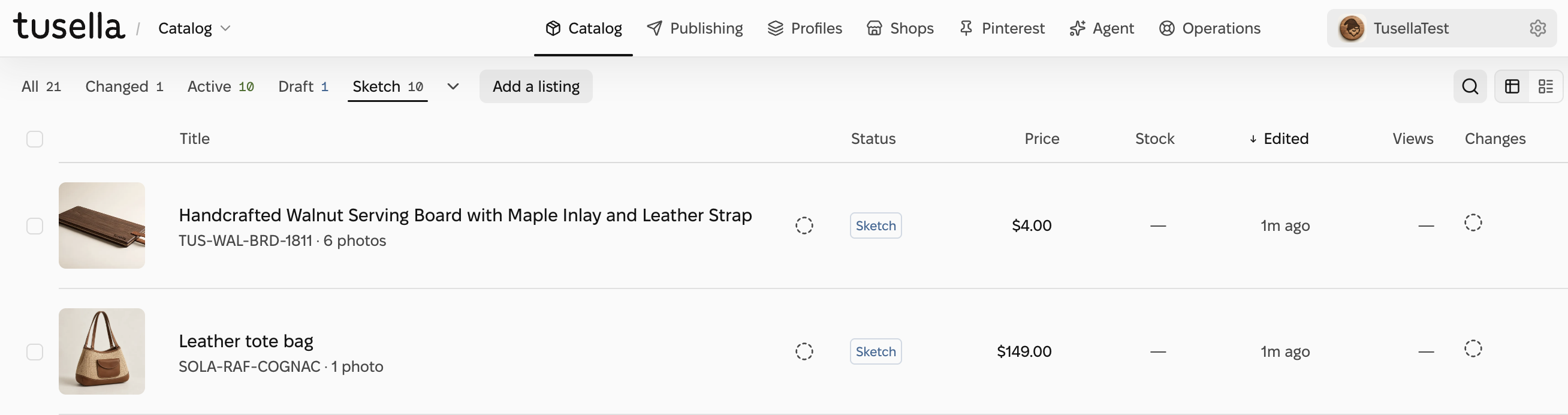
Example result: two copied listings in TusellaTest, both saved as Sketches.
Open full-size screenshot ↗

Available between Etsy shops connected to the same Tusella organization. Copying does not publish listings or keep stock synchronized.

See the review before creating copies
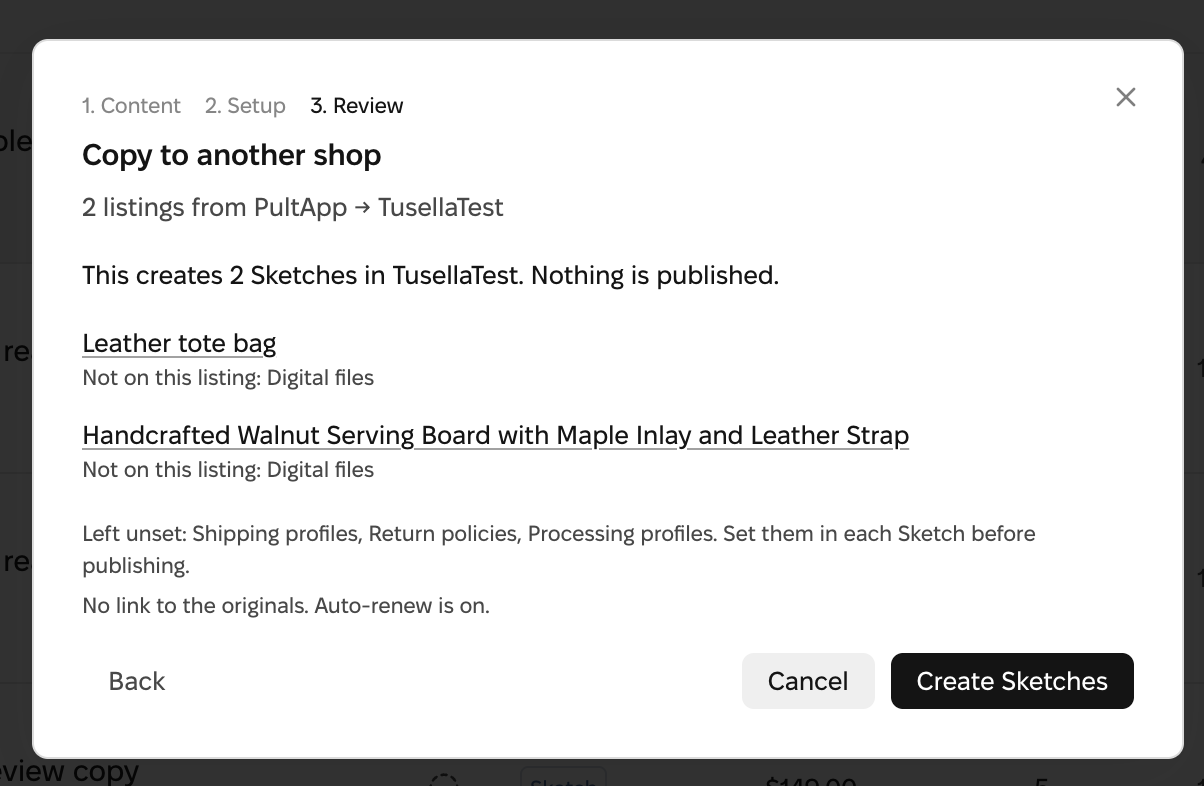
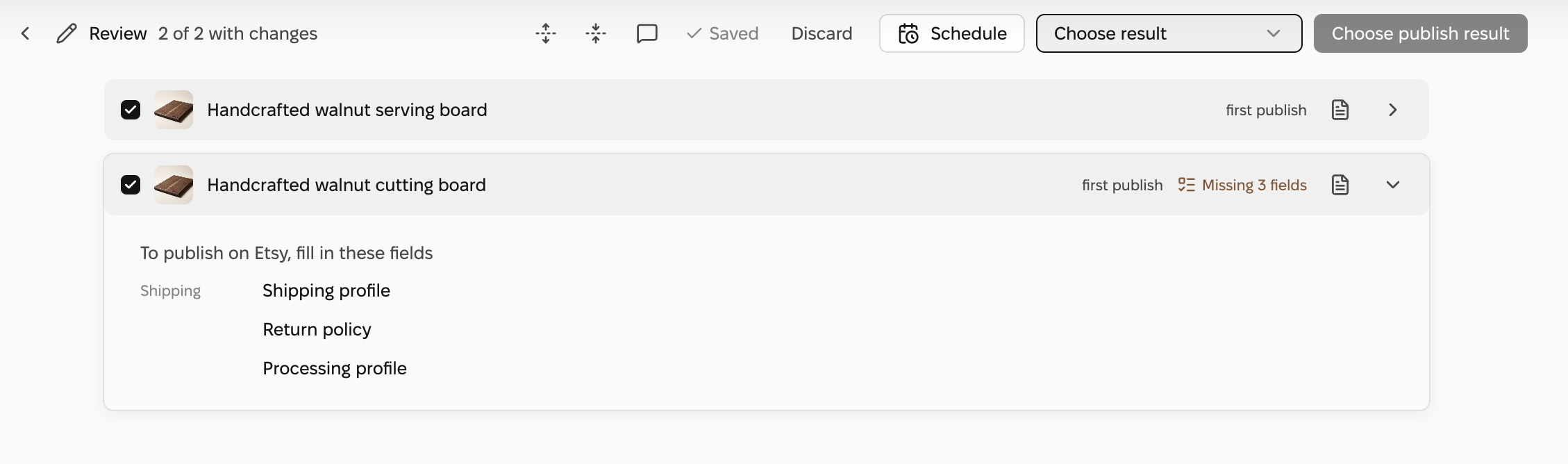
Review confirms two Sketches will be created in TusellaTest and nothing is published. Shipping, return and processing profiles are left unset and must be set before publishing.
Open full-size screenshot ↗
Improved

Review changes before publishing, even on your phone

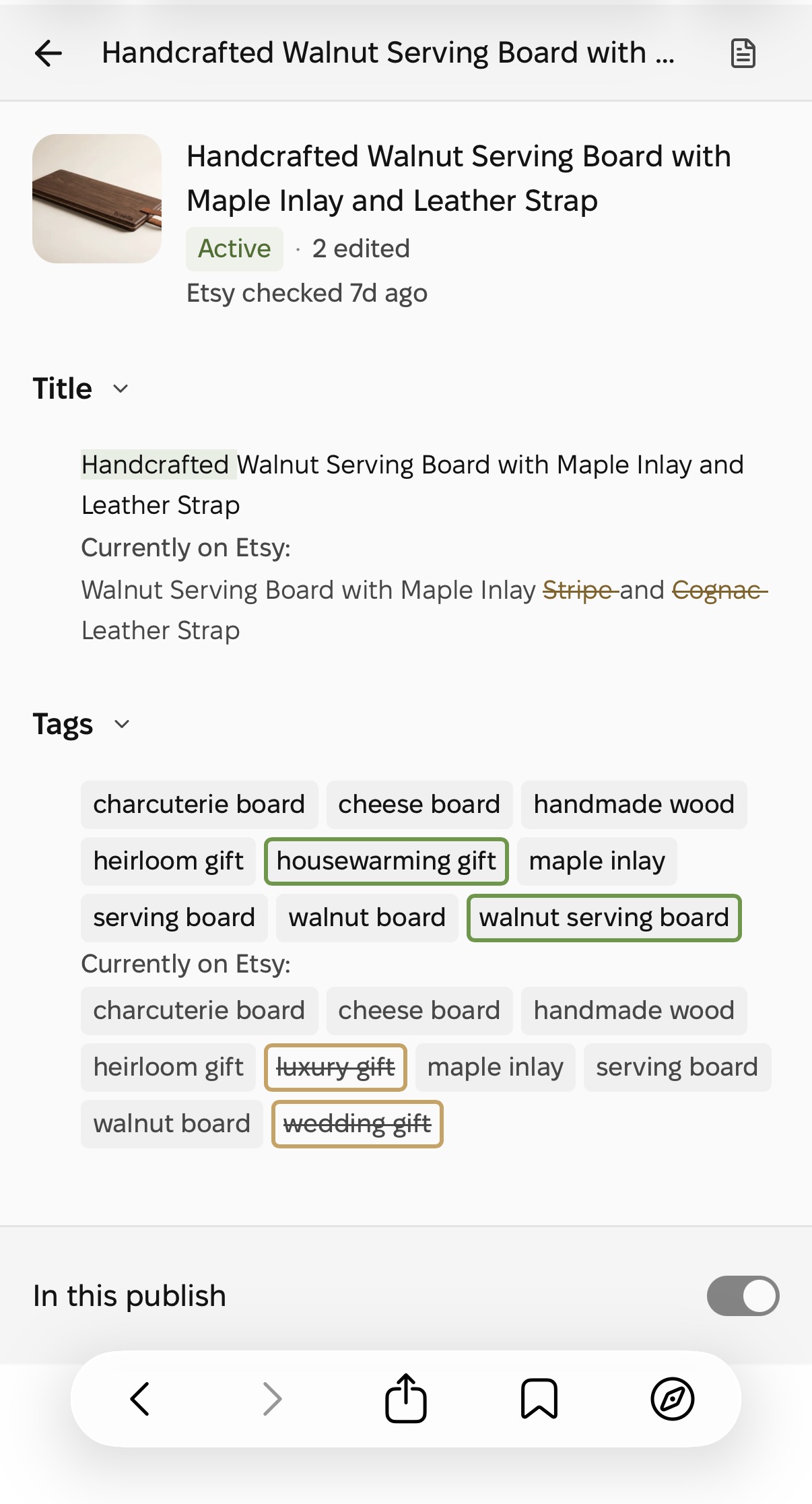
Publish Review now works on a phone-sized screen. See which listings are ready, then open one to compare its edited title and tags with the version Tusella last checked on Etsy.

Tusella mobile Publish Review comparing edited title and tags with the last checked Etsy version of a test listing.
Compare title and tag changes ↗
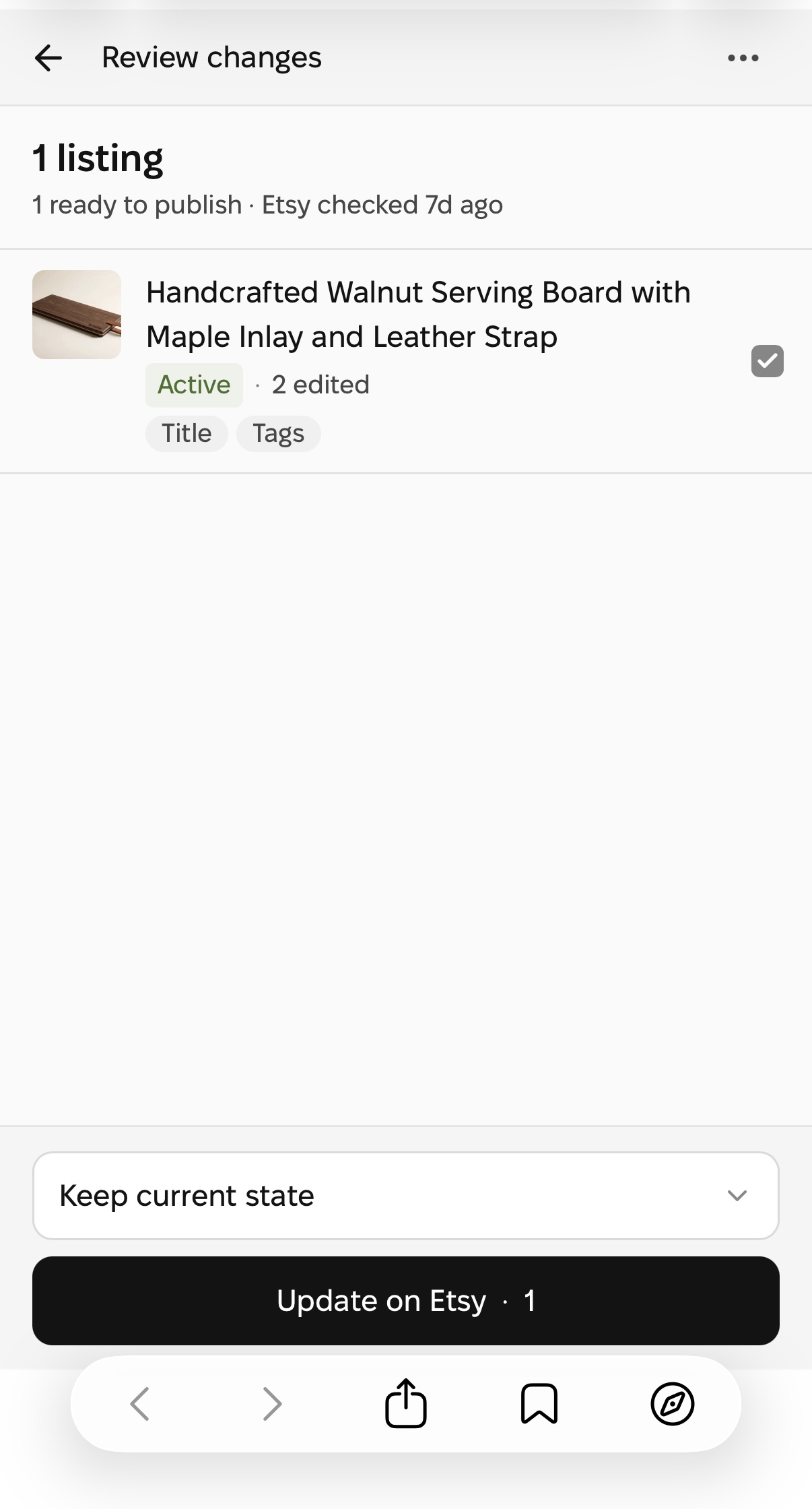
Tusella mobile Publish Review showing one test listing ready to publish, its edited fields, the publish state selection, and the Update on Etsy button.
Review the batch before confirming ↗

Choose the intended publish state and confirm the update in Tusella when you’re ready. Your changes stay unpublished until you confirm.

New

Tusella’s Etsy MCP connector is now in Claude’s directory

Tusella’s Etsy MCP server is now listed in Claude’s connector directory. Connect your Tusella account to let Claude read your listings and prepare draft edits through Model Context Protocol (MCP). You review and confirm listing publication in Tusella.

Tusella in Claude’s connector list with its current logo, Community label and Connected status.
Open full-size screenshot ↗

Read your listing and explore changes in Claude before saving anything.

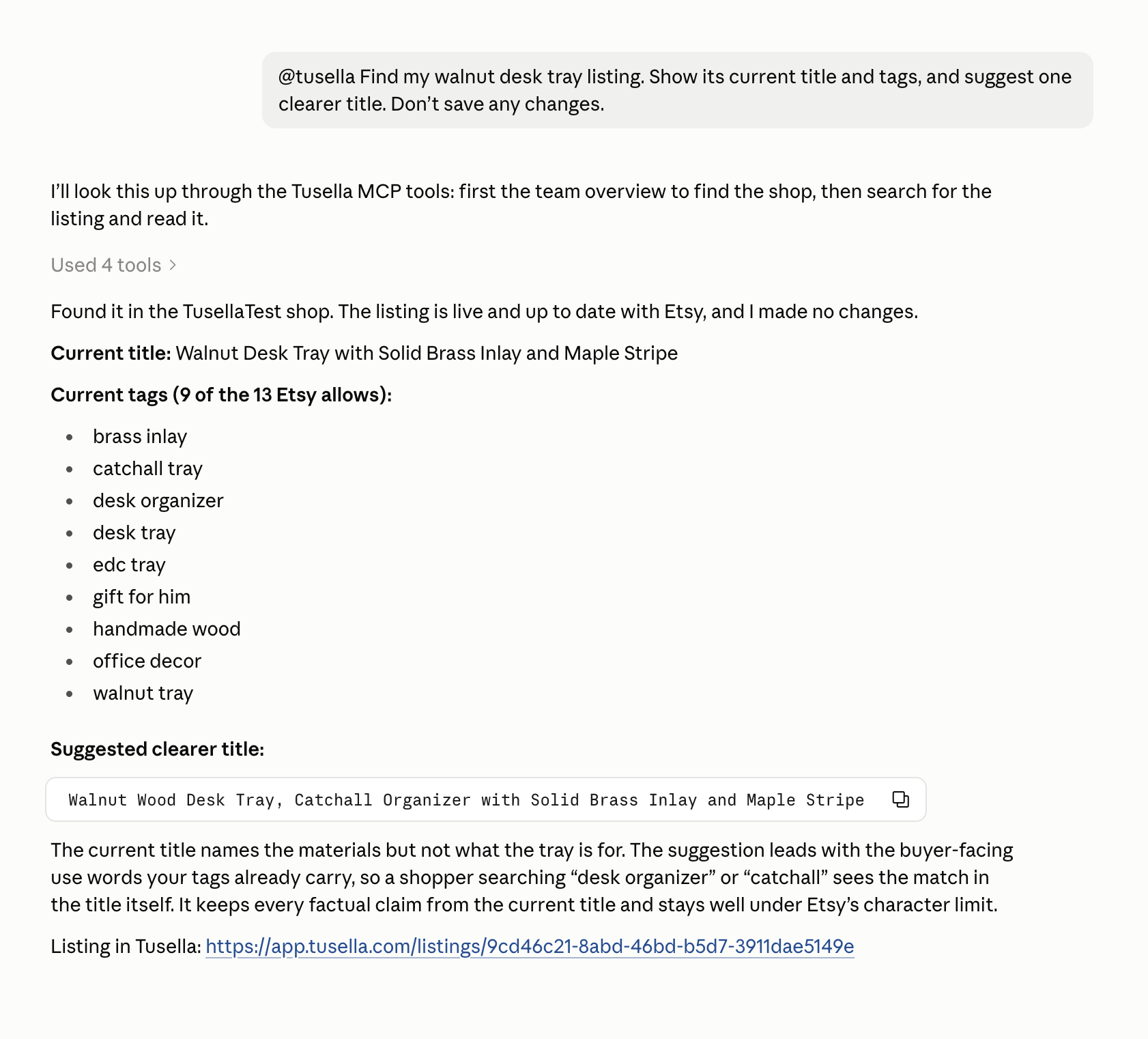
Claude uses Tusella to find a walnut desk tray listing, shows its current title and tags, and suggests a clearer title without saving changes.
Open full-size screenshot ↗

Connect Tusella’s Etsy MCP server to Claude →

Improved

A clearer review before publishing

Publish Review now lists the fields that need attention, with links to the relevant sections of your listing.

Publish Review shows three missing fields: Shipping profile, Return policy and Processing profile.
Open full-size screenshot ↗

Keep your selection as drafts

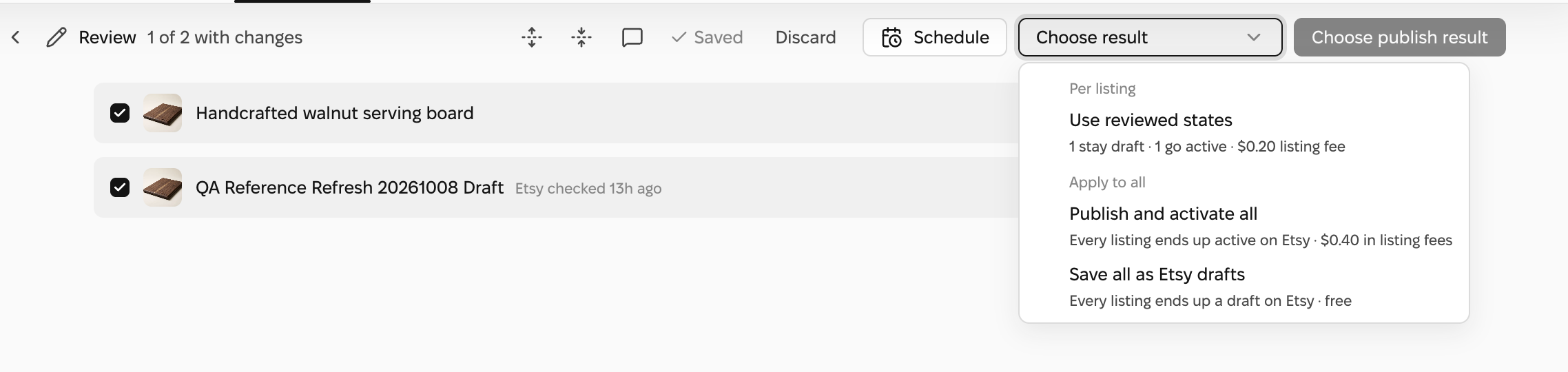
When reviewing a selection of new listings and existing Etsy drafts, you can also choose Save all as Etsy drafts to keep the whole selection off sale.

A review of a new listing and an existing Etsy draft, with the Save all as Etsy drafts option expanded.
Open full-size screenshot ↗
Spotlight

Review changes before publishing to Etsy

Changes you make in Tusella stay in your workspace until you approve publishing.

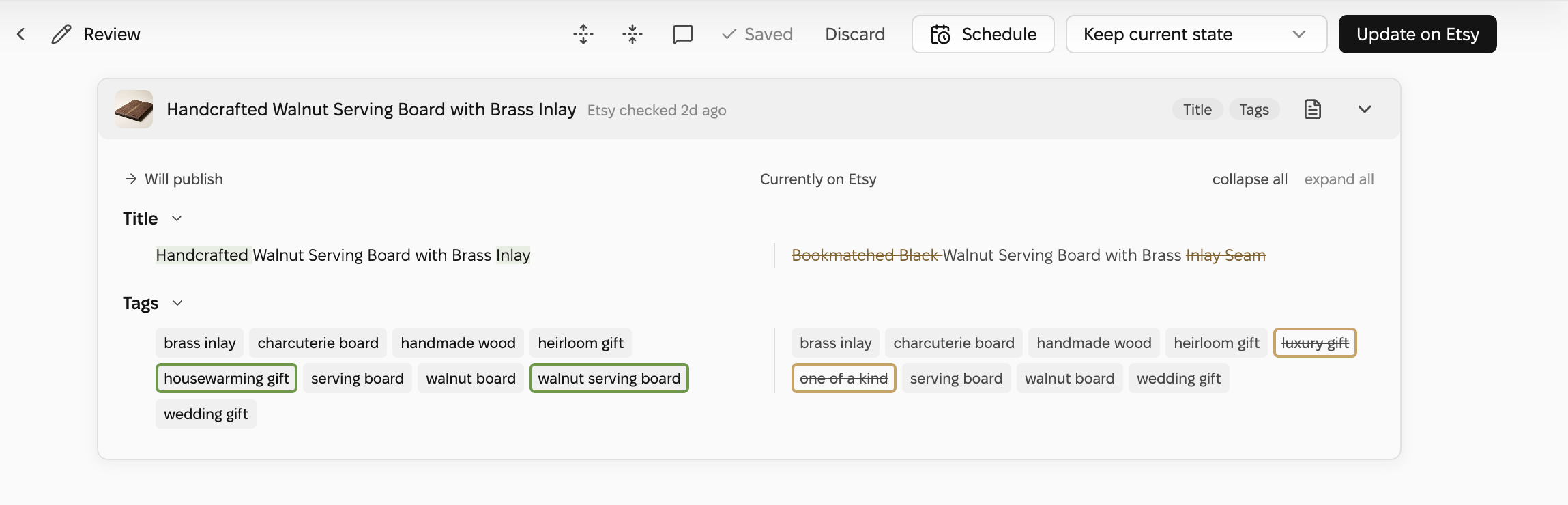
Publish Review lets you compare your listing changes with the current Etsy version, see any applicable listing fees, and choose whether to publish now or schedule for later.

Publish Review compares the prepared listing title and tags with their current Etsy values, highlighting additions and removals before Update on Etsy.
Open full-size screenshot ↗

Want something on this page? Tell us on the feature-request board — or start free and try it yourself.